 Türkçe
 English
 Deutsch
 Français
 Русский


Moving to Bodrum? Follow our illustrated guide to finding the MUSKI water subscription service on e-Devlet and submitting and tracking your application.
Moving into a home in Bodrum? You may be able to start your water subscription application without visiting a MUSKI office. The MUSKI service on Turkey’s e-Devlet portal provides access to applications for a new subscription, a subscription transfer or a change of account holder.
This illustrated guide shows the route through the e-Devlet mobile app. You can also access the service in a browser on your phone or computer. The Turkish menu names below match the screenshots.
Before you start, sign in to e-Devlet
If you already have the e-Devlet app, open it and sign in to your own account. You can also use the official e-Devlet portal; installing the app is optional.
Have the property address and any documents relevant to your application ready. Enter the applicant’s details according to your own circumstances.
1. Open the Services tab
After signing in, tap Hizmetler (Services) at the bottom of the home screen. The screenshot shows where to find it.
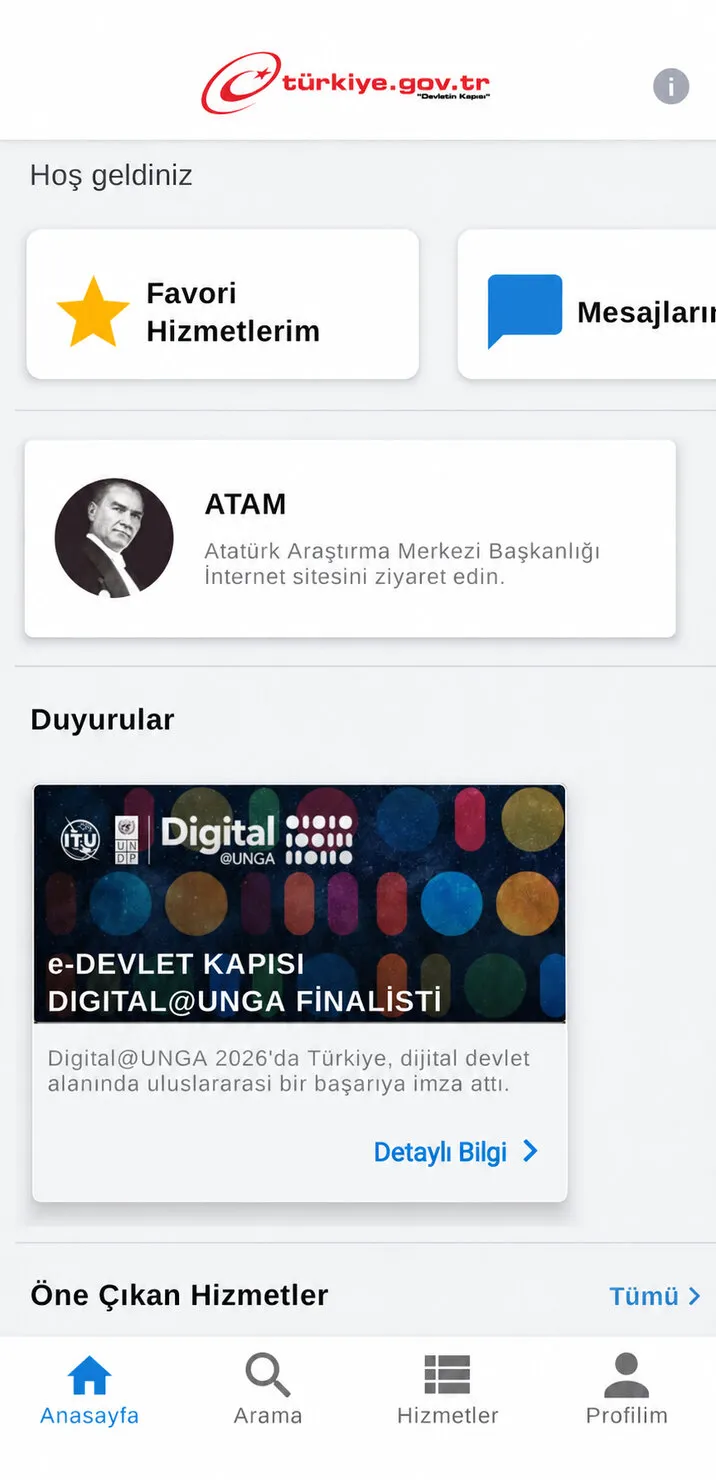
Step 1: Tap Hizmetler in the bottom menu.
2. Select Municipalities
On the Services screen, select Belediyeler (Municipalities). This section leads to municipal and local service providers in Mugla.
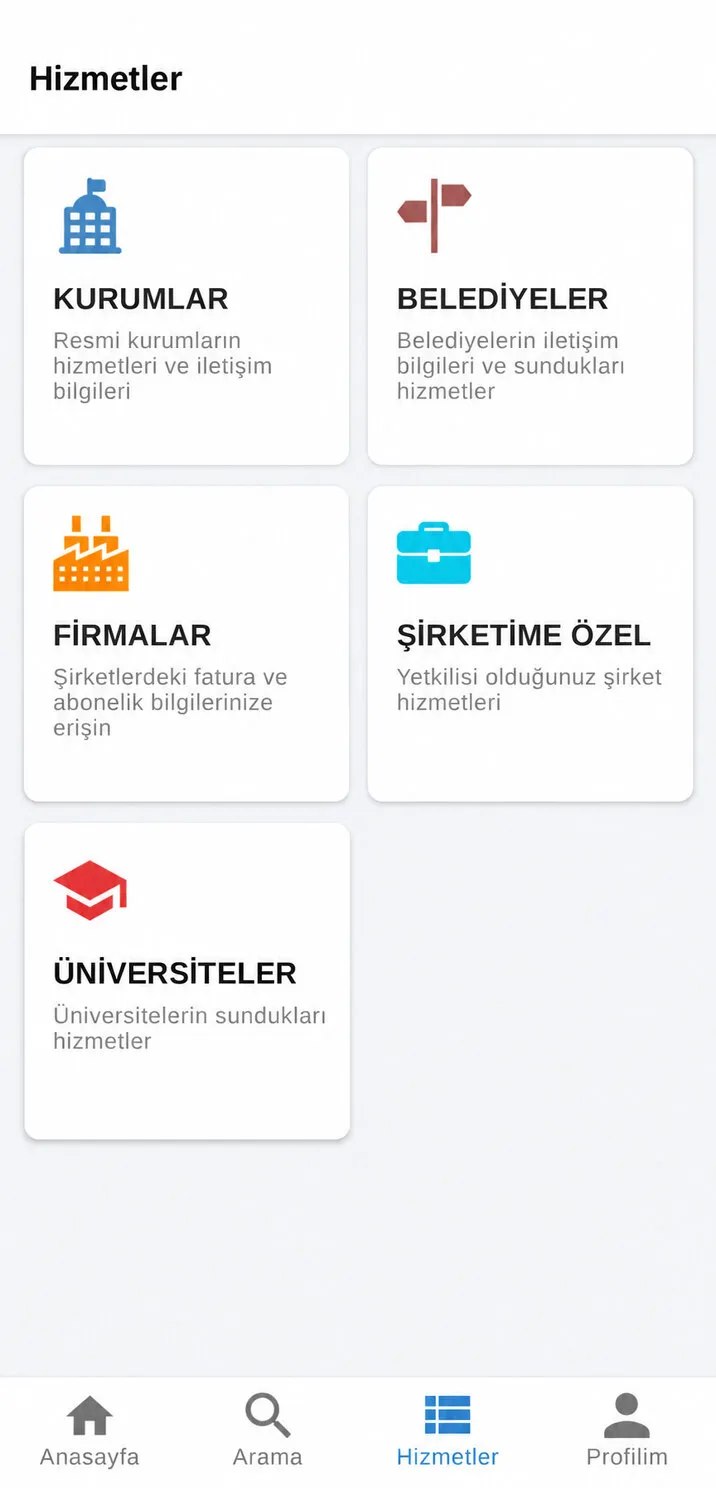
Step 2: Select Belediyeler.
3. Open the city selection screen
The Şehir Seç (Select City) screen has a Şehir Ara (Search City) field at the top. Find Mugla in the list or use this search field.
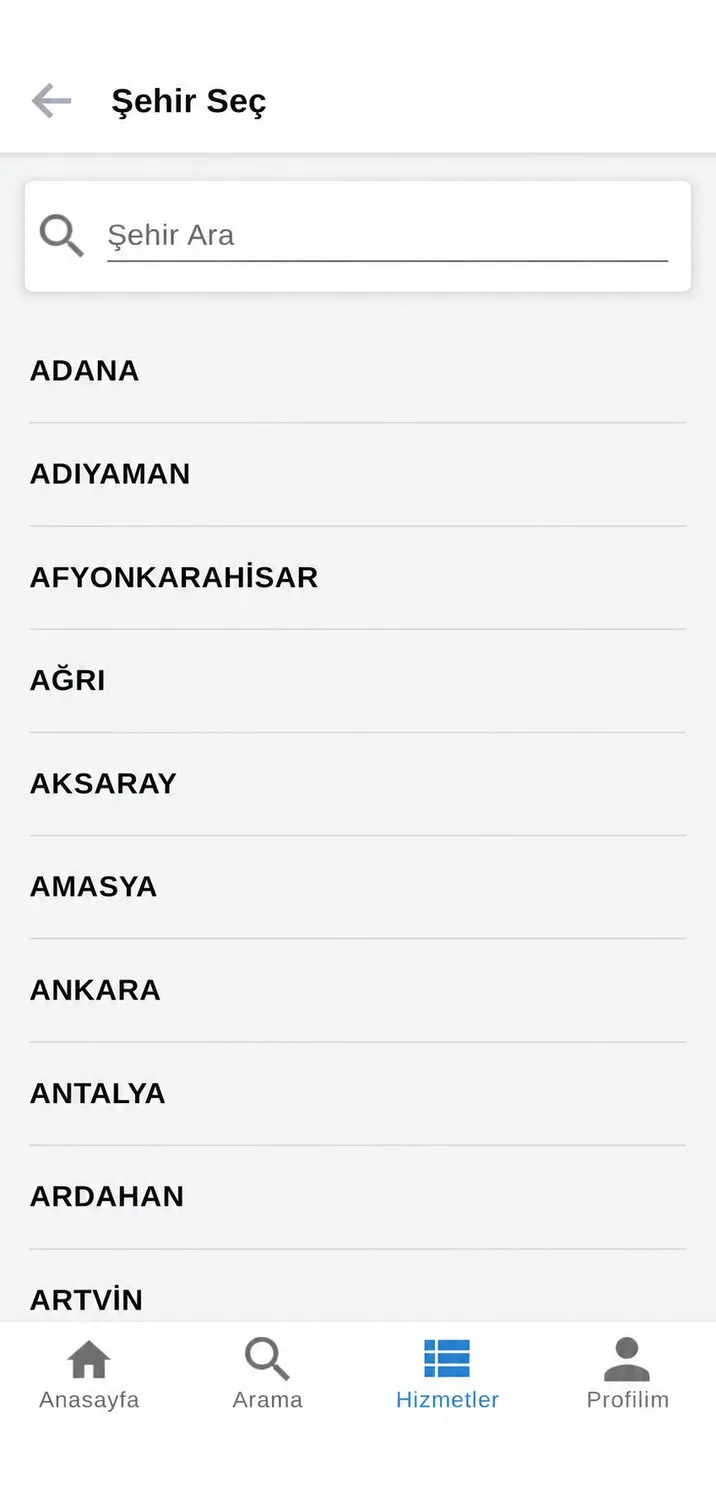
Step 3: Find the Şehir Ara search field.
4. Search for Mugla
Type Muğla in the search field, then tap the MUĞLA result to continue.
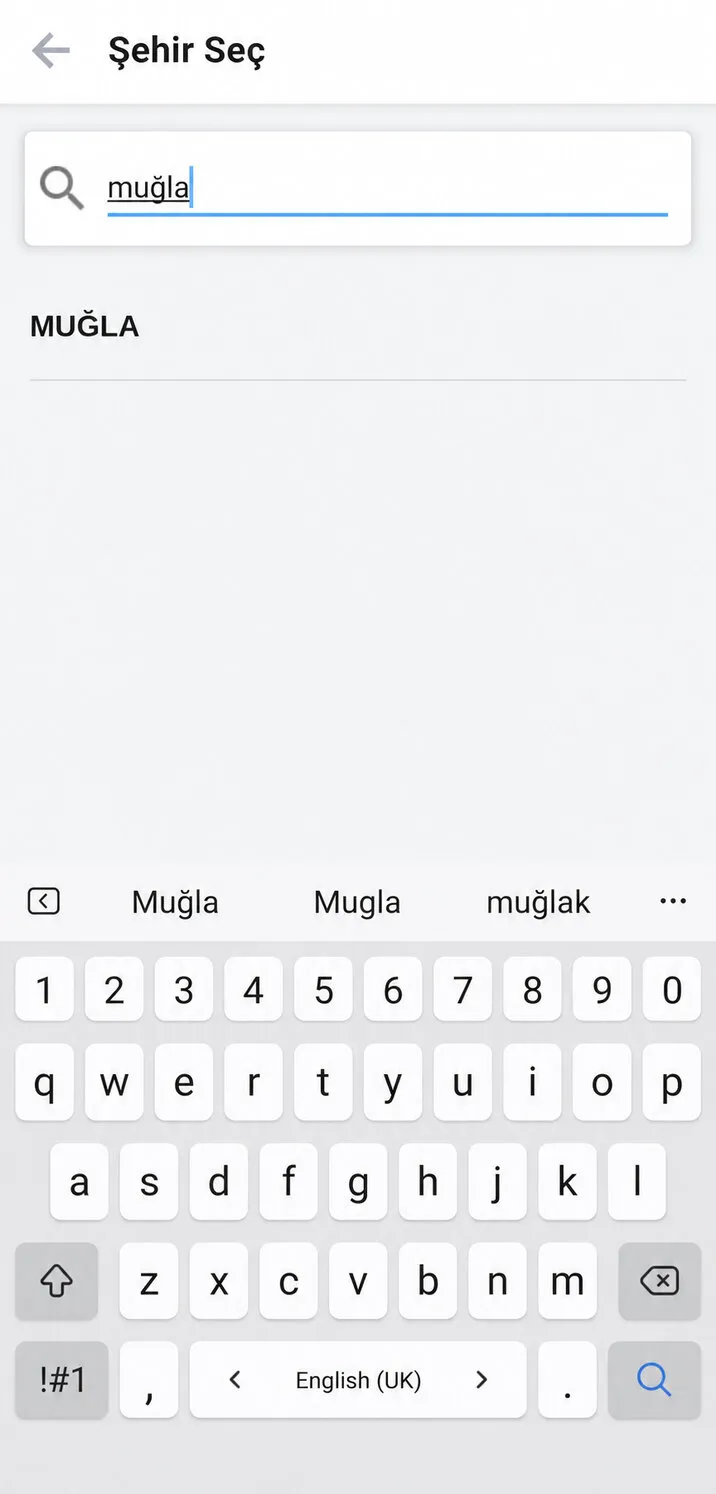
Step 4: Search for Muğla and select the result.
5. Choose MUSKI
Under Yerel Hizmet Kurumları (Local Service Providers), select Muğla Su ve Kanalizasyon İdaresi Genel Müdürlüğü, the Mugla Water and Sewerage Administration, known as MUSKI.
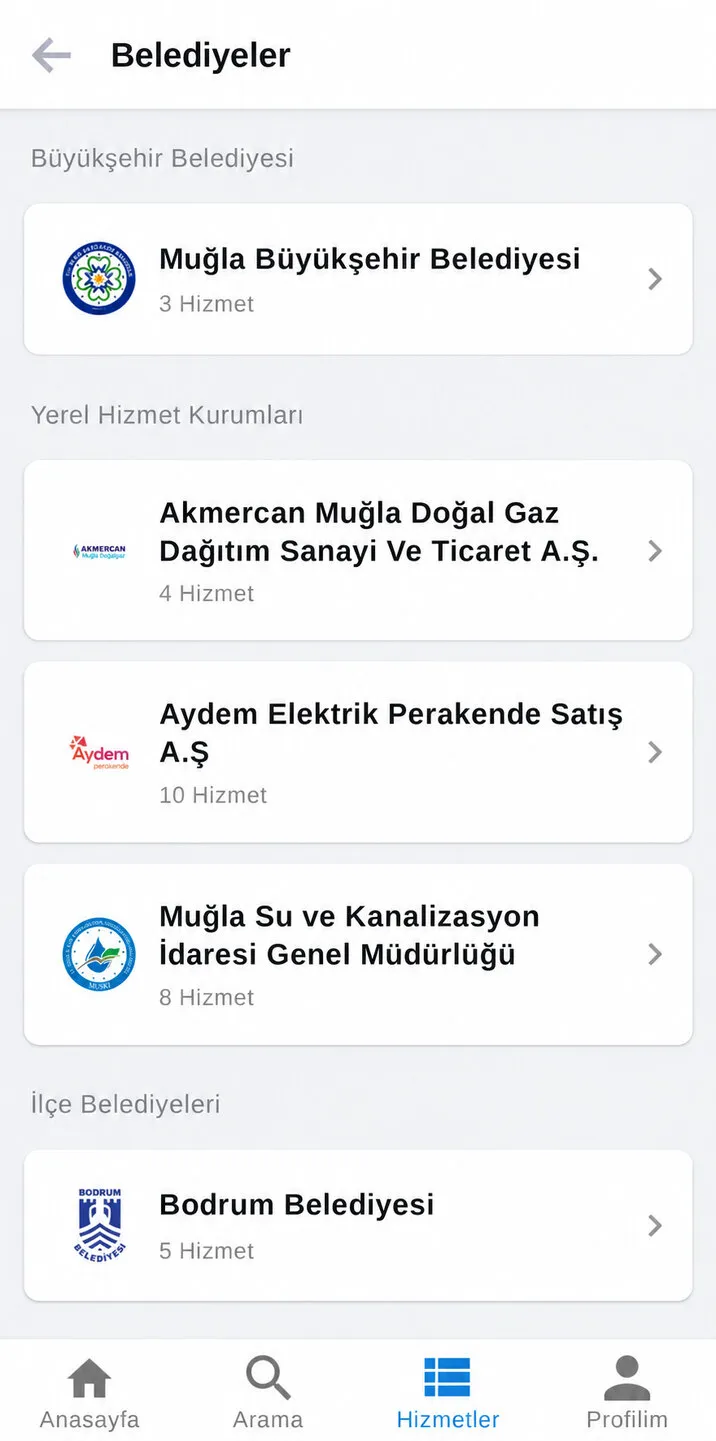
Step 5: Open Muğla Su ve Kanalizasyon İdaresi Genel Müdürlüğü.
6. Open the subscription application service
Find Yeni Abonelik (Abonelik Devri / İsim Değişikliği) Başvurusu ve Takibi. This means application and tracking for a new subscription, a subscription transfer or a change of account holder. In the screenshot, it appears near the bottom of the list. Scroll down if needed; the menu order may vary by app version.
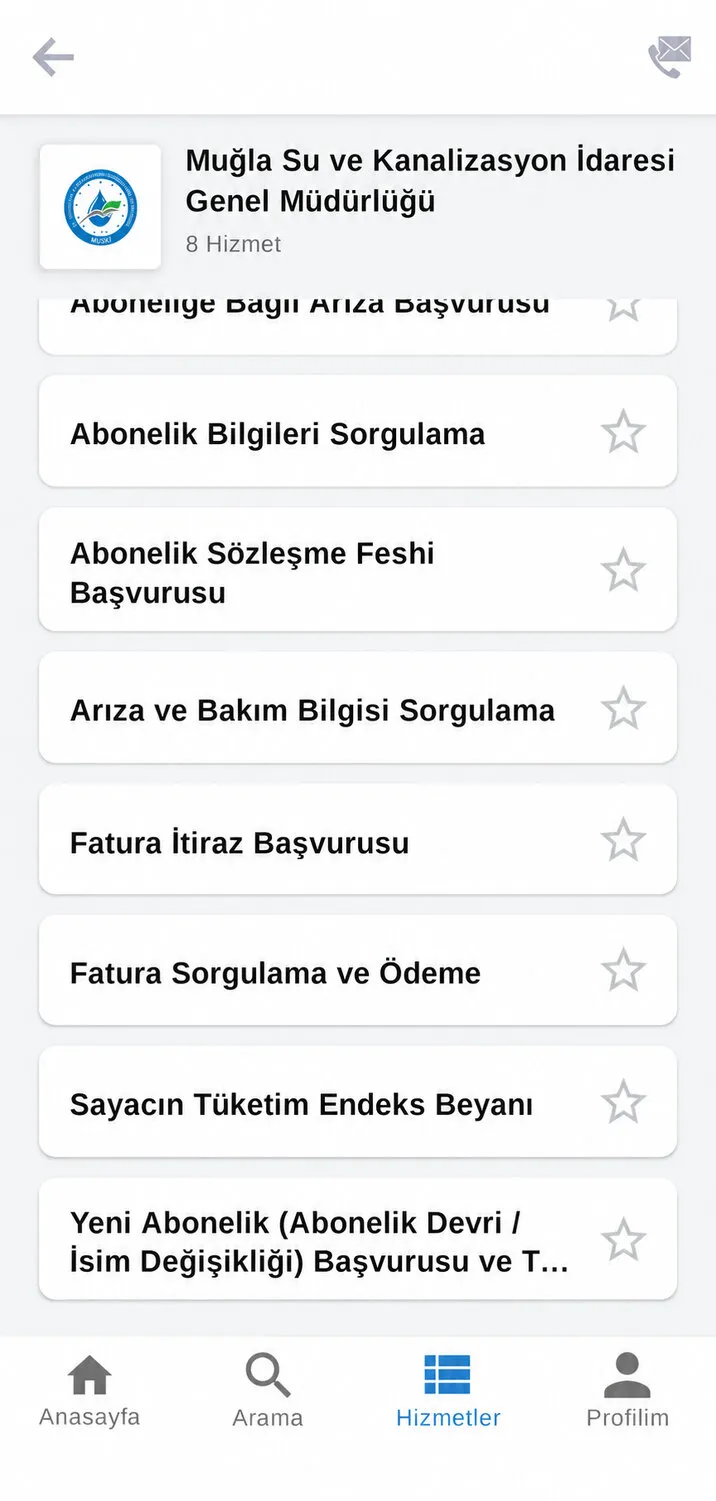
Step 6: Select the subscription application and tracking service.
You can also open the official MUSKI application service directly. If you are not signed in, you will first be asked to authenticate.
Complete the form and track your application
Read the instructions, answer the questions, complete the required fields and attach the documents requested by the system. Check the property address, application type and contact details before following the on-screen instructions.
Once your application is registered, keep the reference number and check its progress in the tracking section of the same service. Submitting an application does not mean the water account is immediately activated. Follow MUSKI’s assessment and any requests for further action.
Which documents do you need?
Requirements depend on whether you own or rent the property, the type of application and the property’s circumstances. You may need identification details, evidence of your right to use the property, such as a title deed or tenancy agreement, and DASK compulsory earthquake insurance details where applicable. Applications by companies or through a power of attorney may require different documents.
A property receiving its first water connection may also require building or installation checks and additional procedures. Follow the current application instructions and MUSKI’s official document requirements. Check the information provided for your application for current charges, security deposits and processing times.
Frequently asked questions
Can I apply without visiting MUSKI?
You can start your application through e-Devlet. Whether completion requires further documents, a technical inspection or another procedure depends on your application.
Do I need the mobile app?
No. You can sign in to the official e-Devlet website using a browser. The screenshots in this guide show the mobile app.
Which service should I use as a tenant?
The new subscription service also covers transfers and changes of account holder. Open this service and check the option and document requirements that apply to your rented home.
Does applying online mean the water is turned on immediately?
No. Registering an application and completing a subscription are separate stages. Follow the approval process and any payment or document requests. Rely on MUSKI’s response to your application for the activation date.
Prepared by Turnkey Properties to help with moving to and living in Bodrum. Personal information has been removed from the screenshots. Official service and document links were checked on 16 November 2026.
Article information and sources
- Author
- Turnkey Properties Emlak ve Yatırım Danışmanlığı
- Published
- Updated